johnmatthew
Registered
reputation_scoree
Hi everyone,
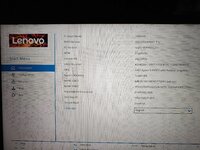
I am completely stuck and really need your help with my laptop. As you can see in the screenshots below, my notebook is showing "INVALID" for the Product Name both inside the BIOS and across my operating systems (I am running a Windows/Linux multiboot setup).
This is incredibly annoying, and I simply want to flash or inject the correct model name back into the EEPROM/BIOS data.
Here is what I have already tried without success:
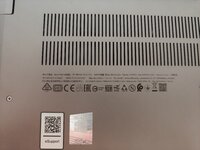
Here are the exact details of my notebook taken directly from the back cover and the BIOS screen:
I am completely stuck and really need your help with my laptop. As you can see in the screenshots below, my notebook is showing "INVALID" for the Product Name both inside the BIOS and across my operating systems (I am running a Windows/Linux multiboot setup).
This is incredibly annoying, and I simply want to flash or inject the correct model name back into the EEPROM/BIOS data.
Here is what I have already tried without success:
- Updated the official BIOS to the latest version.
- Performed a full factory reset (Load Setup Defaults) in the BIOS.
- Searched for days for a solution, but tools like Uone are nowhere to be found, and the Lenovo Motherboard Self-Repair Tool is no longer available for download for my specific model.
Here are the exact details of my notebook taken directly from the back cover and the BIOS screen:
- Model Name: ThinkBook 14 G3 ACL
- MTM (Machine Type Model): 21A2A020IX
- Serial Number (S/N): MP23LF0H
- BIOS Version: GQCN45WW (V1.31)
- EC Version: GQEC45WW (V1.31)
- Manufacturing Date: 2021/10/14
- CPU: AMD Ryzen 5 5500U